Why Your Website Must Be Mobile-First in 2026
Why Are Your Customers Primarily on Their Phones?
In Singapore, over 70% of web traffic comes from mobile devices. Your potential customers are searching for businesses, reading reviews, and making purchase decisions from their phones, often while commuting, queuing, or during lunch breaks.
If your website doesn’t work well on a phone, most visitors won’t pinch-to-zoom or scroll sideways to find what they need. They’ll tap the back button and visit your competitor instead.
What “Mobile-First” Actually Means
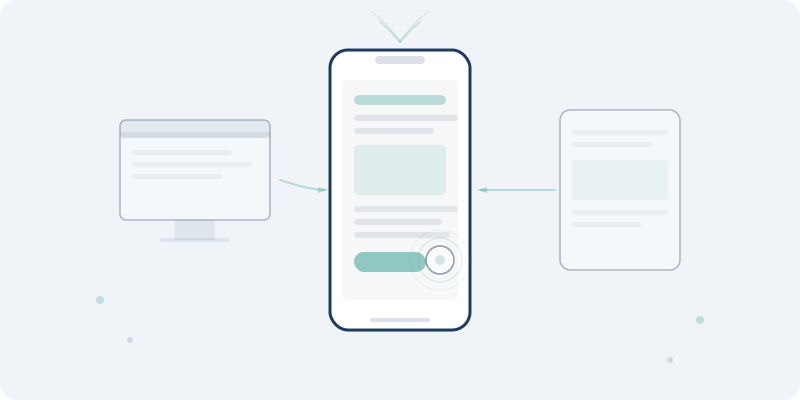
Mobile-first doesn’t mean shrinking a desktop website to fit a small screen. It means designing for the phone first, then scaling up for tablets and desktops.
This matters because:
- Priorities become clear: A small screen forces you to decide what matters most. That clarity benefits visitors on every device.
- Performance is better: Mobile-first sites load faster because they’re built lean from the start, not bloated with desktop assets.
- Google requires it: Since 2021, Google uses mobile-first indexing. It ranks your site based on the mobile version, not the desktop version.
Signs Your Website Isn’t Mobile-Friendly
- Text is too small to read without zooming
- Buttons and links are too close together to tap accurately
- Horizontal scrolling is required to see content
- Images overflow the screen or load slowly
- Forms are difficult to fill in on a phone
- Pop-ups cover the entire screen with no easy way to close them
- The navigation menu is hard to open or use
What a Good Mobile Experience Looks Like
Fast Loading
Mobile users are often on cellular connections. Your site should load in under 3 seconds on a 4G connection. That means optimised images, minimal JavaScript, and efficient code.
Thumb-Friendly Navigation
Most people use their phones with one hand. Key actions like your menu, call-to-action buttons, and phone number should be easy to reach with a thumb.
Readable Text
Body text should be at least 16px. Line spacing should be generous. No one should need to zoom in to read your content.
Tap-Friendly Buttons
Buttons and links need enough spacing so visitors don’t accidentally tap the wrong thing. Apple recommends a minimum tap target of 44x44 pixels.
Streamlined Forms
Every extra field on a mobile form reduces completions. Ask only for what you genuinely need: name, email or phone, and a short message.
The Business Impact
A poor mobile experience directly costs you money:
- 53% of mobile visitors leave a site that takes more than 3 seconds to load
- Google penalises non-mobile-friendly sites in search rankings
- Conversion rates drop when forms and CTAs are hard to use on mobile
- Ad spend is wasted if you’re paying for clicks that land on a page people can’t use
What You Can Do Today
- Test your site: Open your website on your phone right now. Can you read everything? Can you tap every button easily?
- Use Google’s Mobile-Friendly Test: Enter your URL and see what Google thinks of your mobile experience
- Check your analytics: Look at your bounce rate for mobile visitors versus desktop. A big gap means your mobile experience needs work.
- Simplify your forms: Reduce contact forms to 3–4 fields maximum
- Optimise images: Serve appropriately sized images for mobile screens, not full desktop resolution
Key Takeaways
- The majority of your visitors are on mobile devices, so design for them first
- Mobile-first design leads to faster, cleaner, more focused websites on every device
- Google ranks your site based on its mobile version
- Poor mobile experience directly translates to lost leads and wasted ad spend
- Testing on a real phone is the fastest way to spot problems
Is Your Website Mobile-Friendly?
Book a free Growth Audit and we’ll test your site across devices, showing you exactly where mobile visitors are dropping off.
Interested in working with us?
Register your interest and we'll reach out to you.